Stolen iPhone Usable? Activation Lock 2026
January 2026
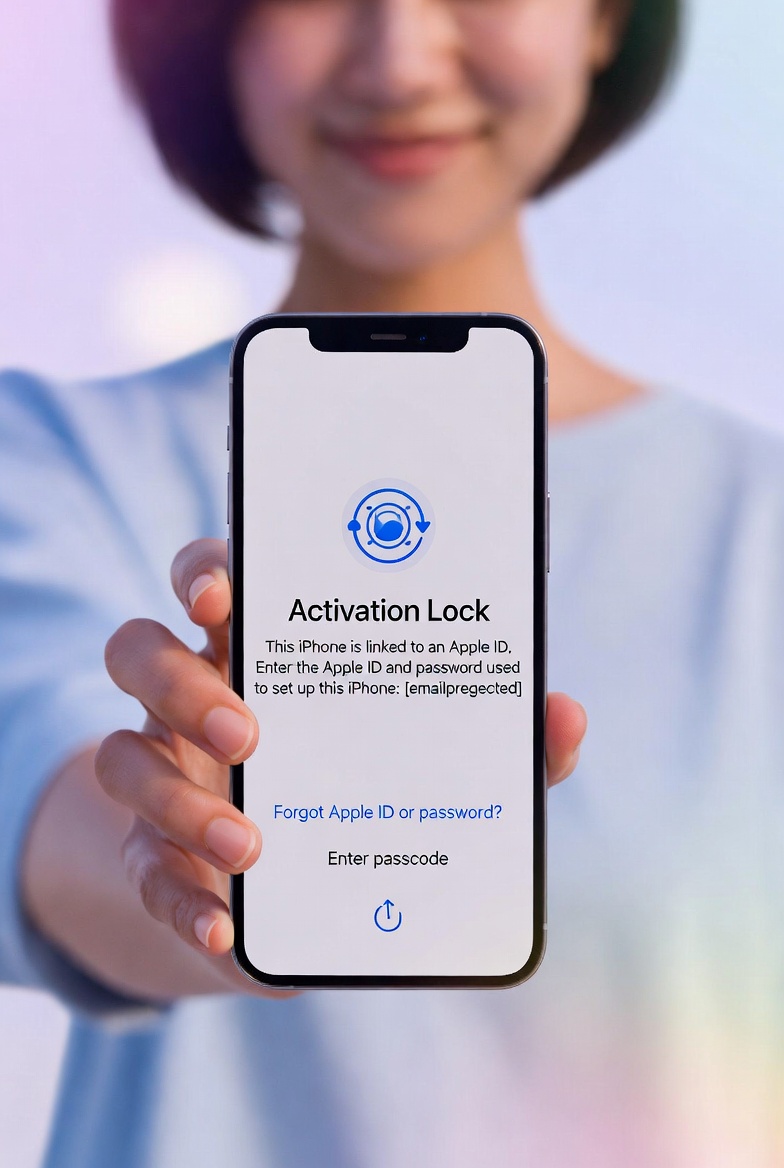
First, breathe. If your iPhone was stolen, the fear is real. The good news: Activation Lock is still one of the strongest protections in 2026, and most stolen iPhones are not usable without your Apple ID.
People search “stolen iPhone usable” or “find dead iPhone” because they need a clear answer fast. Here it is: a stolen iPhone is not usable for normal phone use if Activation Lock is on. It can’t be set up, can’t access your data, and can’t be used on a carrier. That doesn’t mean you should wait, though. You still need to take the right steps to protect your data and your accounts.
This guide explains exactly how Activation Lock works, what thieves can and can’t do, and the immediate steps that keep you safe. Short, calm, and to the point.
Quick Answer: Is a Stolen iPhone Usable?
Not in a normal way. Activation Lock ties the phone to your Apple ID. Without your Apple ID and password, the phone can’t be set up after a reset. That means:
- They can’t sign in with their own Apple ID
- They can’t access your data if your phone is locked
- They can’t use the phone on a carrier once the IMEI is blocked
What they can do is sell it for parts or attempt scams to trick you into removing Activation Lock. That’s why your next steps matter.
Immediate Actions (Do These Now)
1. Turn on Lost Mode
Go to icloud.com/find and activate Lost Mode. Add a phone number and a short message so a good‑faith finder can contact you.
Lost Mode keeps the phone locked, disables Apple Pay, and shows your message on the screen.
2. Change Your Apple ID Password
Go to iforgot.apple.com and change your Apple ID password immediately.
This shuts down access to iCloud on the stolen device and protects your photos, backups, and messages.
3. Block the IMEI with Your Carrier
Call your carrier and ask them to block the IMEI. This stops the phone from being used on any network, even with a new SIM card.
Blocking the IMEI turns a stolen iPhone into a paperweight. That’s good for you.
How Activation Lock Works in 2026
Activation Lock is built into Find My. If Find My is enabled, Activation Lock is on. It does three critical things:
- Prevents setup after a factory reset
- Requires your Apple ID to re-activate
- Protects your data if the phone is locked
That’s why scammers will often try to trick you into removing your device from Find My. They may send fake texts or emails that look like Apple, asking you to “verify” your Apple ID. Don’t do it.
Never remove a stolen device from your Apple ID. As long as it’s linked, Activation Lock stays on.
What Thieves Can Still Do
Even with Activation Lock, there are a few risks to watch for:
- They can try to phish your Apple ID
- They can sell it for parts
- They can claim they “found” your phone and ask for money
If anyone asks for your Apple ID or verification code, it’s a scam. Don’t respond.
If Find My Shows “No Location”
“No location” doesn’t mean it’s gone. It usually means:
- The phone is powered off
- The battery is dead
- It’s in a low‑signal area
Keep Lost Mode on. Turn on “Notify When Found.” You’ll be alerted the second it comes online.
Replacement & Prevention
If your iPhone isn’t coming back, you can still replace it safely. Here’s where to go:
- Replacement Phone Guide — calm, step‑by‑step buying checklist
- IMEI Check — verify any used phone before you buy
Trusted sellers with buyer protection:
- eBay (Top Rated Plus sellers)
- Amazon Renewed
- Swappa, Back Market, and certified carrier refurb programs
As an eBay Partner Network affiliate, LostPhones.com earns from qualifying purchases at no extra cost to you.
As an Amazon Associate, LostPhones.com earns from qualifying purchases.
Get the PDF Checklist (Fast, Calm, Complete)
If you want the full script set, carrier templates, and prevention setup in one place, grab the printable checklist:
Get the Full Recovery Kit – Instant PDF
30-Day Money-Back Guarantee
Trusted by 1,200+ people securing their data this month
Quick Reference (Save This)
- ☐ Turn on Lost Mode at icloud.com/find
- ☐ Change Apple ID password immediately
- ☐ Block the IMEI with your carrier
- ☐ Never remove the device from Find My
- ☐ Watch for scams asking for your Apple ID
- ☐ Use the replacement guide if needed
You’re doing the right things. You’re not alone. And you’re already protecting yourself by staying calm and taking the next step.
Need a full start‑to‑finish checklist? Go to Start Here.